

WordPress event booking plugin
Host the event. Scan tickets at the door.
Take free or paid bookings, offer ticket tiers and check guests in with QR e‑tickets. All from one LatePoint dashboard.
Host events with LatePoint
Tickets and QR check-in built in
The usual way.
One event. Three plugins. Why?
A calendar plugin. A ticketing add-on. A check-in app. Three settings pages. Three customer lists. Three things to update.
LatePoint does all three.
NEW
The usual stack
LatePoint Events
Calendar, ticketing add-on, check-in app
Events, tickets and check-in in one plugin
A second checkout to set up
One checkout for appointments and events
Clients and guests in separate lists
One customer list
Another dashboard to learn
Events sits next to Appointments
More plugins to update
One plugin to update
How it works.
Live in four steps
From blank event to scanned ticket.
your event
to any page
register
in
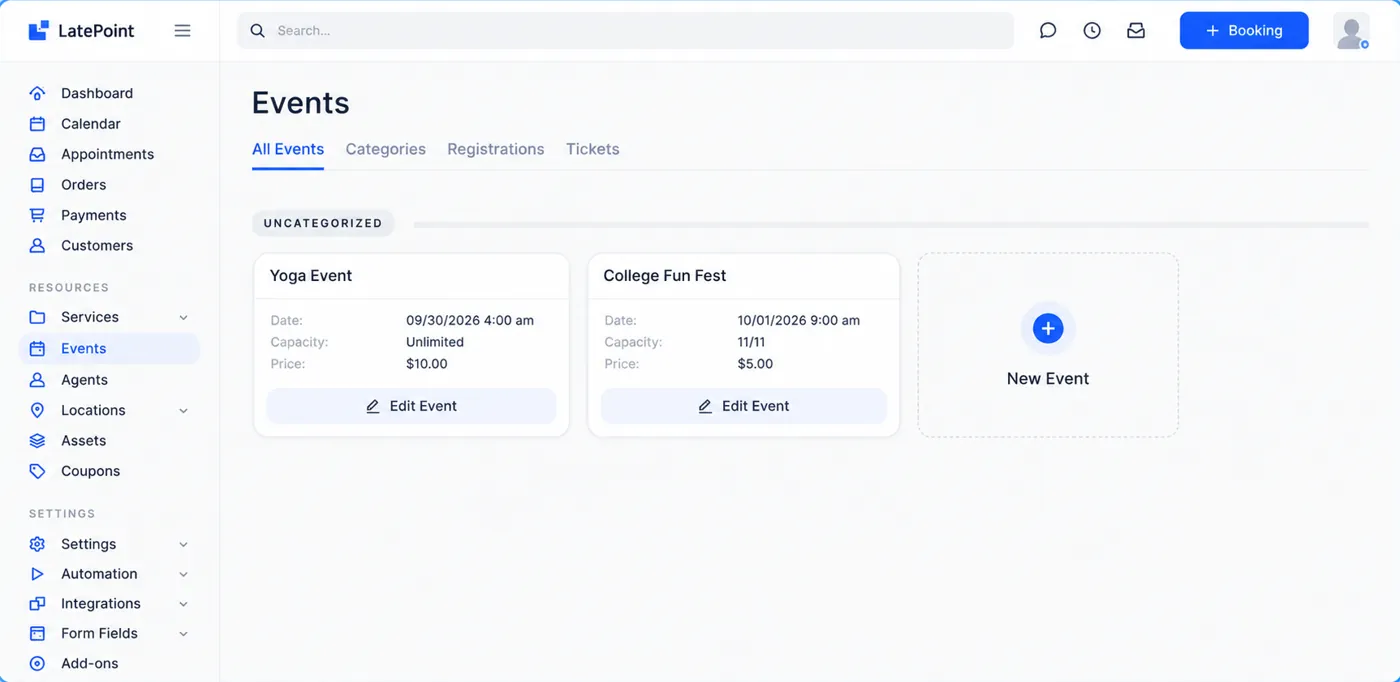
Create your event
Open Events. Click New Event. Add a name, date, seats and price. Save.
Add it to any page
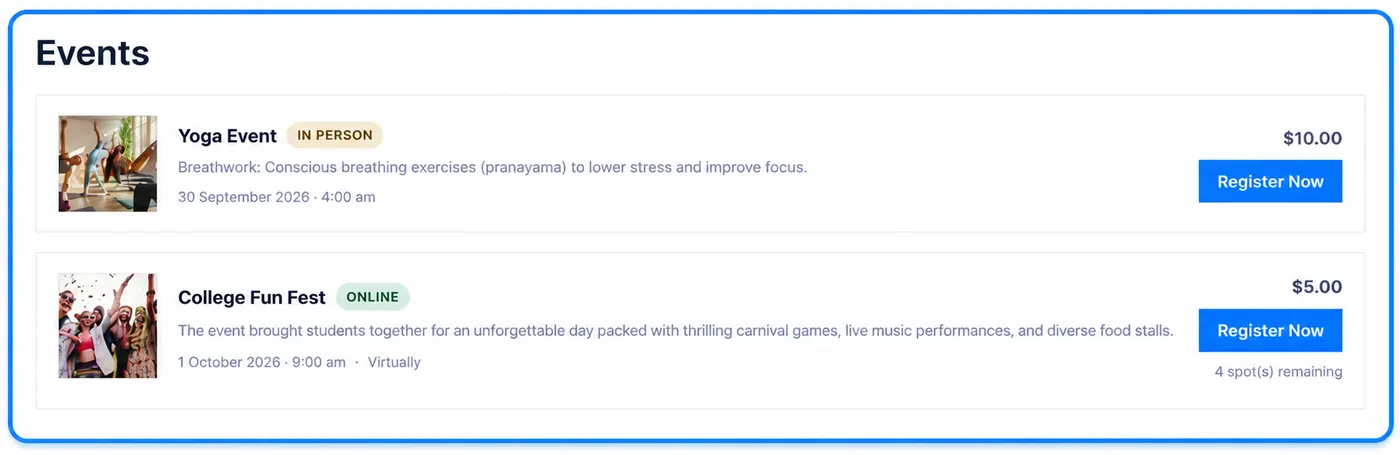
Paste one shortcode. Your events list goes live with dates, prices and a Register Now button.
Add it to any page
Paste one shortcode. Your events list goes live with dates, prices and a Register Now button.
Watch registrations come in
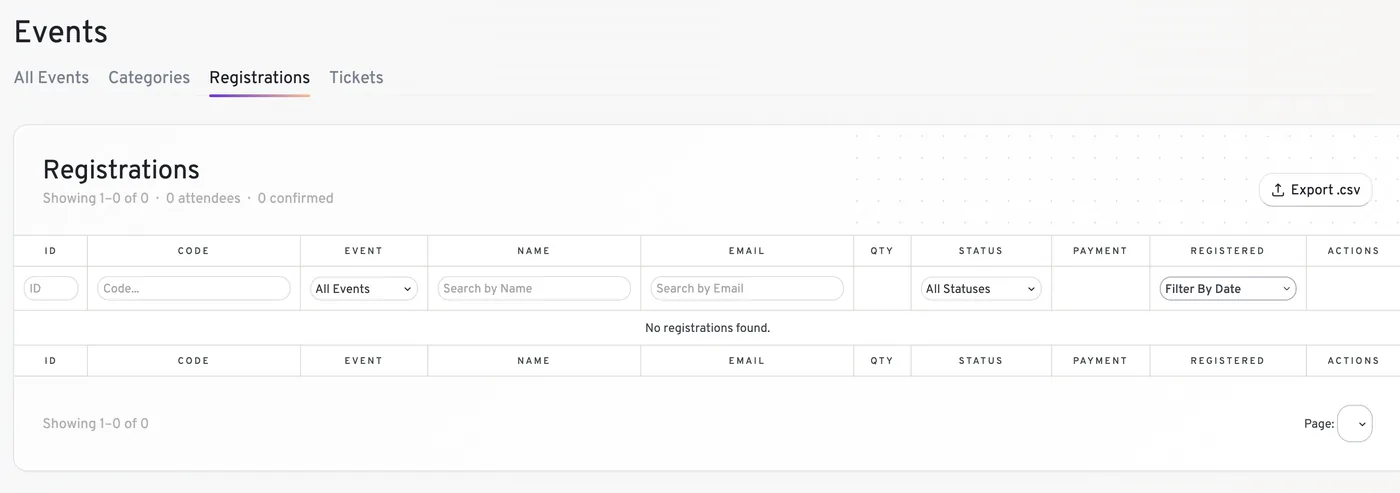
Guests sign up and pay with Stripe, PayPal, Razorpay or any payment method you’ve connected. Every registration lands in one list.
Scan guests in at the door
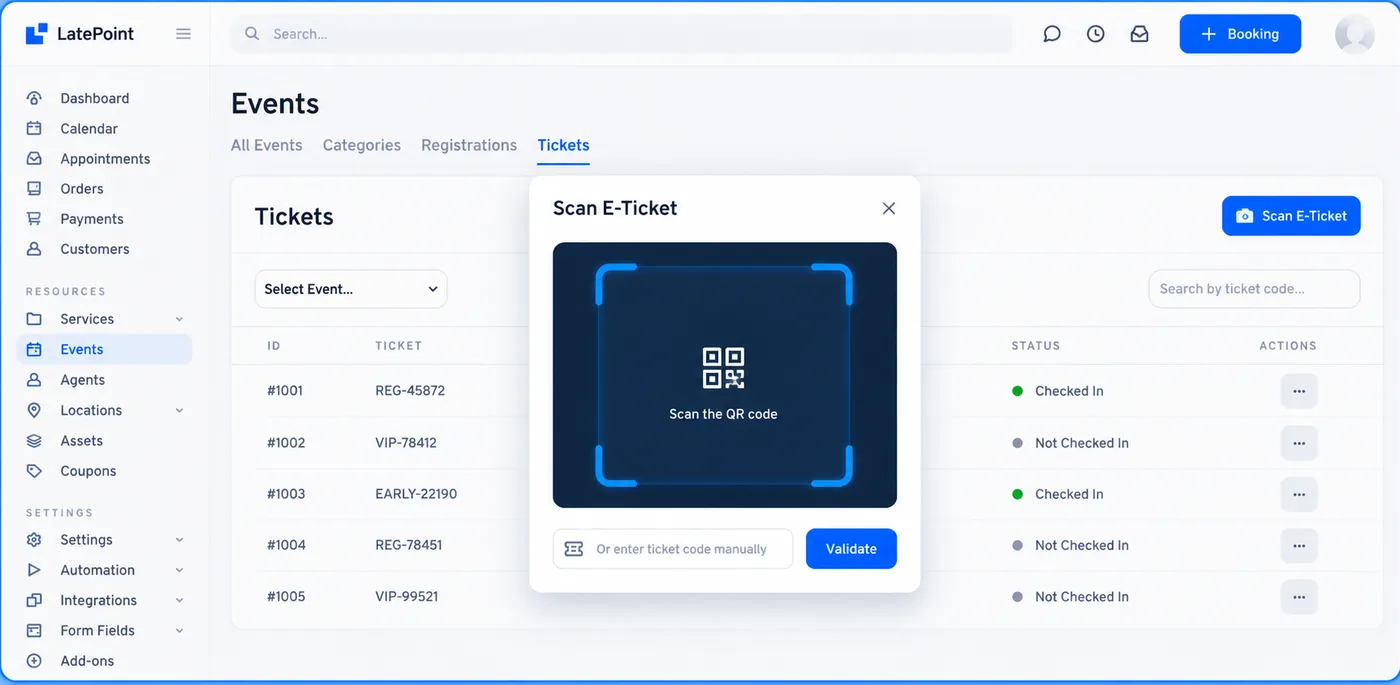
Every ticket has its own QR code. Scan it in LatePoint. No extra app.
Scan guests in at the door
Every ticket has its own QR code. Scan it in LatePoint. No extra app.
Ready to host your first event?
Free to start. 14-day money-back guarantee on paid plans.
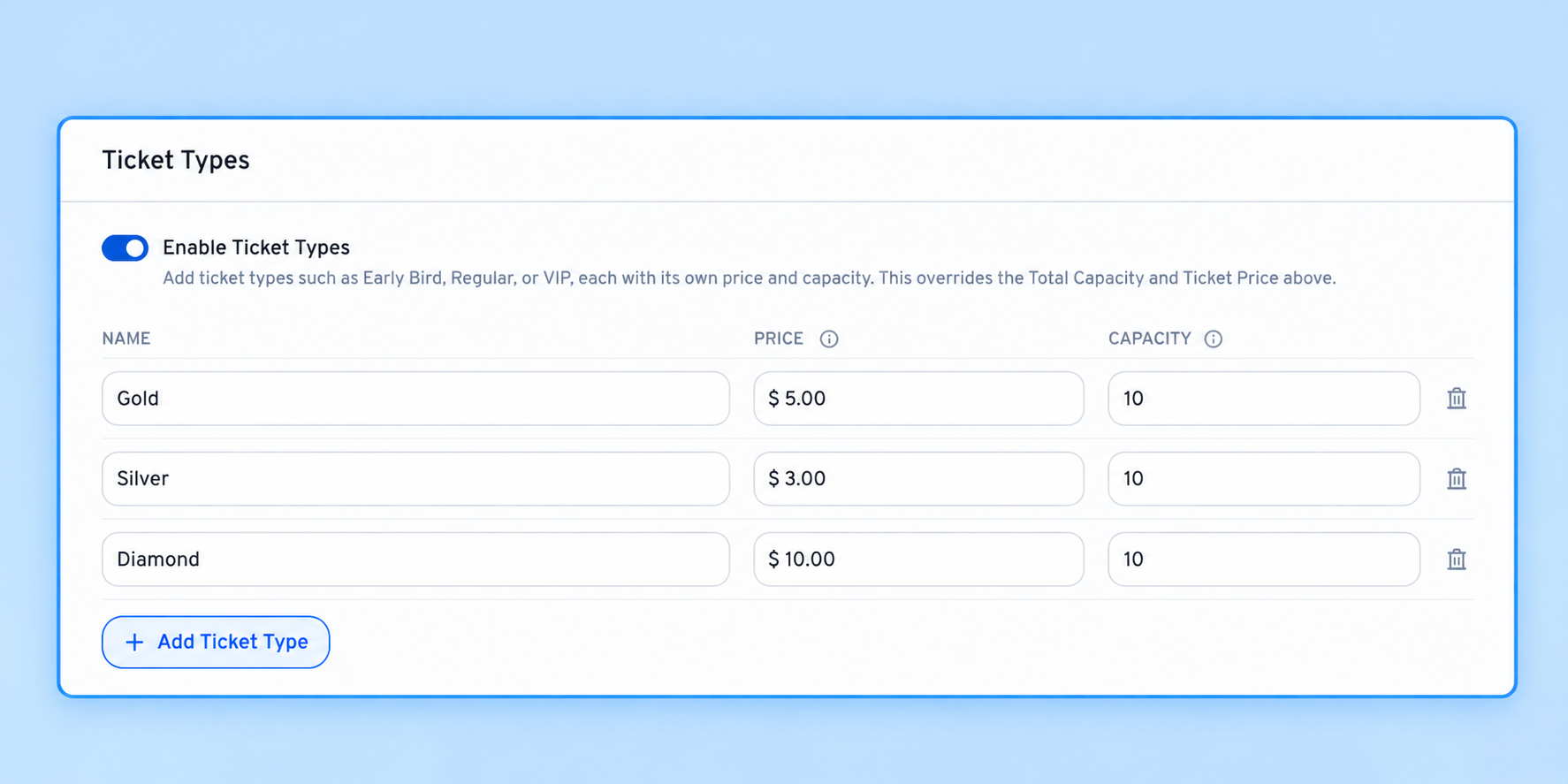
Gold, Silver, Diamond. Name them anything.
Give each ticket its own price and its own seat limit.
Also built in
Automatic emails
Confirmations and cancellations go out on their own.
Registration windows
Pick when sign-ups open and close.
Seat limits
Registration stops when you are full.
Categories
Group events so guests find the right one.
In person or online
Label each event so guests know where to be.
Free or paid
Charge per ticket, or set the price to $0.
Who it’s for.
Already take bookings? Host events too.
Retreats with a set number of mats
Run special classes next to your weekly schedule.
● Weekend retreats
● Guest-teacher classes
● Outdoor sessions
Masterclasses and launch nights, booked like appointments
Then book their next appointment from the same dashboard.
● Masterclasses
● Product launch nights
● Bridal party days
Teach a room, not just one client
Webinar guests land in the same customer list as your clients.
● Webinars
● Live Q&As
● Group intensives
Group classes with a seat limit
Bootcamps and parent evenings, capped at the room size.
● Exam-prep bootcamps
● Holiday camps
● Parent evenings
Mini-session days, paid up front
Cap each session and scan guests in on the day.
● Photo walks
● Mini-session days
● Editing classes
Tours that close when the van is full
Set the places once. Sign-ups stop at the limit.
● Guided rides
● Kayak tours
● Demo days
Reviews.
Real feedback from WordPress site owners
★★★★★ 4.9/5 on WordPress.org · 100,000+ installs
★★★★★
“We worked so hard to find the perfect booking form and LatePoint plugin was there to satisfy our need for a user-friendly and great-looking form, as well as the easiest to set up! It took us less than a day to make it work…
It has a really responsive customer service who never failed us in the past 5 years and great value for money, you wont find a comparison.”
★★★★★
“We’ve been using the LatePoint plugin for our booking system and it has exceeded our expectations in terms of functionality, user experience, and flexibility.
The interface is clean, modern, and incredibly intuitive for both admins and clients. Setting up services, agents, and schedules was a smooth process, and the plugin offers great customization options for most needs.”
★★★★★
“Not only does the booking system look sleek and has a pop-up function that draws the user in, it has many add-on functions that increases the likelihood of user turn up.
I have had contact with their customer service a few times throughout the years and I must say that their service is impeccable. They respond quickly, in a kind manner and are always helpful and informative.”
FAQ.
Quick answers
Yes. Create events, take free or paid bookings and check guests in with QR e-tickets, all inside LatePoint.
Yes. Events sits in the same dashboard as your appointments, with the same customer list.
Stripe, PayPal, Razorpay and the other payment methods LatePoint supports. Free events work too.
Yes. Add tiers like Early Bird, General and VIP, each with its own price and seat limit.
Yes. Every ticket has a QR code. Scan it with Scan E-Ticket in LatePoint, or type the ticket code.
Paste the [latepoint_events_list] shortcode on any page. For one event, use [latepoint_event_button].
Yes. Add several date ranges to one event. Guests still register once.
Yes. Try the live demo, or start with the free plan on WordPress.org.
Yes. Every first purchase comes with a 14-day, no-questions-asked refund.
Host your next event with LatePoint
Create it. Share it. Scan guests in.