

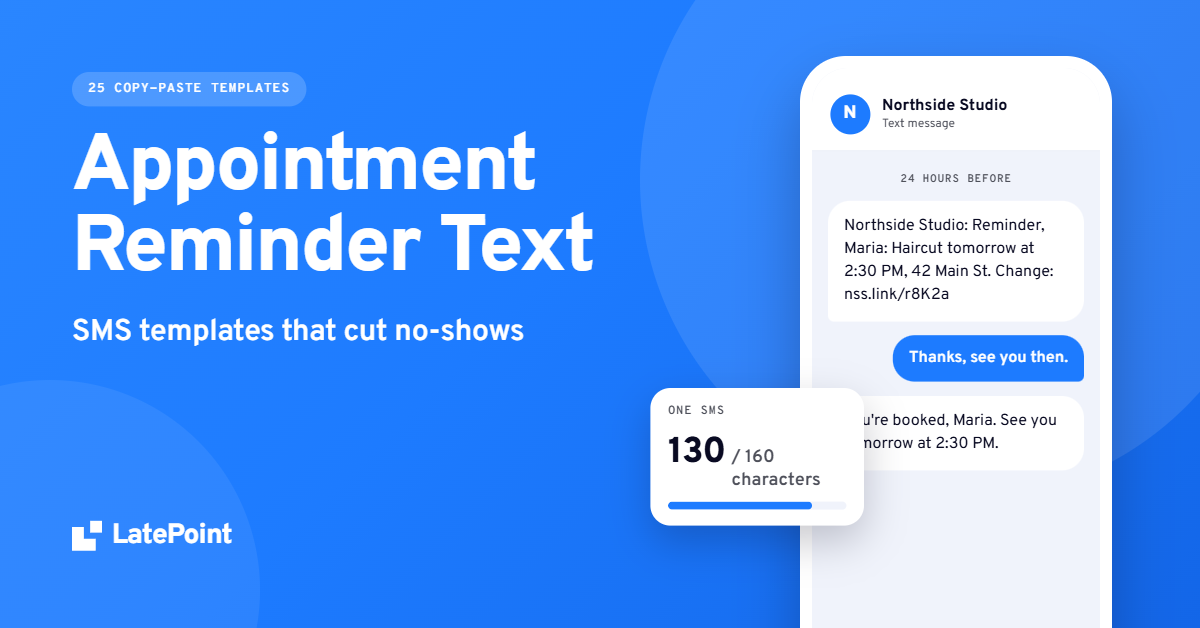
Appointment Reminder Text Messages: 25 SMS Templates That Cut No-Shows
“Wait, was that today?”
Every business that books appointments has heard it. The customer did not mean to skip. They forgot.
A short appointment reminder text fixes a lot of that. It lands on the phone they already carry, it takes five seconds to read, and it gives them one quick way to change the booking instead of not turning up.
Pick a template. Set the timing. Let it run. Below are 25 reminder texts you can copy today, grouped by timing and by industry. Each fits in one 160-character text. You also get a send schedule, a quick way to work out what a no-show costs you, the basics of consent, and three ways to send them without typing each one by hand.
Need one right now? Here is the 24-hour reminder, the one to keep if you send only one (template 4 below):
[Business]: Reminder, [First name]: [Service] tomorrow at [Time], [Address]. Change: [Link] Reply STOP to opt out.
Tip: copy templates as plain text so straight apostrophes keep each one under 160 characters.
Every template works in any booking tool or phone. (We build LatePoint, a WordPress booking plugin, so near the end there is a short note on how it handles reminders.)
The short version
- Send a confirmation at booking and one reminder 24 hours before. Add a same-day text for afternoon slots and video calls.
- Name your business first, then the service, the time, and one link to change the booking.
- Keep it under 160 characters and skip emojis, so it sends as one message.
- Get permission at booking and honor STOP.
- Automate them with your booking tool, so no reminder depends on you remembering.
Do reminder texts actually reduce no-shows?
Yes. A Cochrane review of seven studies found that text reminders raised attendance at healthcare appointments compared with no reminder, and worked about as well as phone calls (Cochrane, 2013). The studies are from healthcare, but people forget salon and tutoring appointments for the same reasons.
What does one no-show cost you?
Before you pick templates, put a number on the problem. It makes the case for setting reminders up properly.
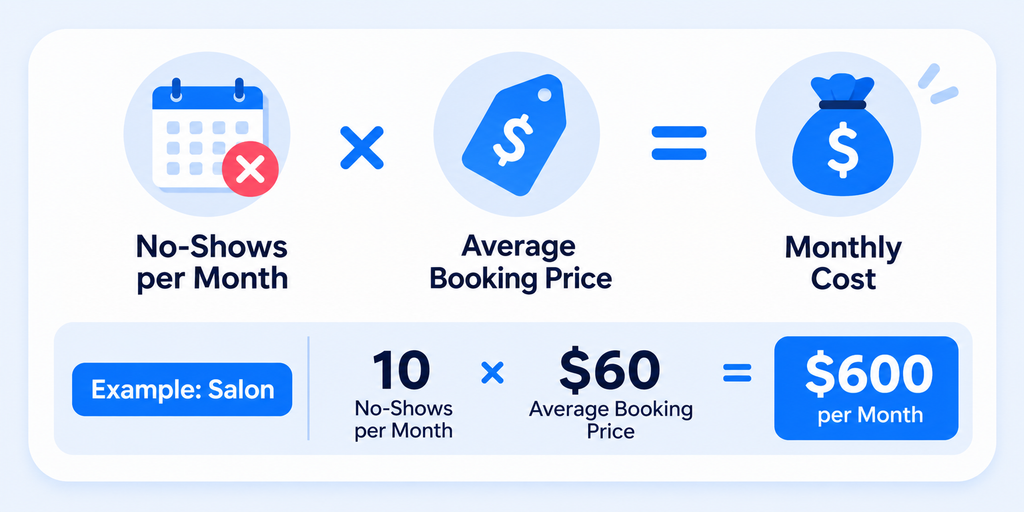
Monthly cost of no-shows = no-shows per month × average booking price
Say you run a salon with 120 bookings a month, an average booking of USD 60, and 8% of customers do not turn up. That is about 10 no-shows, or roughly USD 600 of empty chair time every month, close to USD 7,000 a year. These are example numbers, so use your own.
You do not need to remove every no-show. If reminders save even three of those ten appointments, they pay for themselves quickly. Track your own no-show rate for a month first, so you can compare it later.
How do you write a reminder text for an appointment?
A good reminder text names your business first, then says what the appointment is, when it is, and how to change it. Keep it under 160 characters and end with one link or one instruction.
That’s the whole job. Five parts:
- Your business name first. The customer should know who is texting before they read anything else.
- The service. “Haircut”, “dental cleaning”, “PT session”. One or two words.
- The date and time. Say “tomorrow” or “today” when you can. It is faster to read than a date.
- One way to change it. A link to manage the booking, or a phone number. Not both if space is tight.
- An opt-out line. “Reply STOP to opt out.” Put it in the first text a customer gets from you, at minimum.
Three things to leave out: emojis, long links and medical details. The next section explains why emojis cost you.
If you can only send one reminder, make it the 24-hour text. It’s the one we’d never skip. It comes late enough that people remember it, and early enough that you can still fill the slot if they cancel.
Placeholders used in the templates
The templates use square brackets. Swap them for your booking tool’s own fields.
| Placeholder | What it holds | Example |
| [Business] | Your business name, short | Northside Studio |
| [First name] | The customer’s first name | Maria |
| [Service] | What they booked | Haircut |
| [Date] | The day, short | Tue, Nov 3 |
| [Time] | The start time | 2:30 PM |
| [Link] | A link to view, change or cancel the booking | nss.link/r8K2a |
| [Address] | Where to go | 42 Main St, Suite 3 |
| [Phone] | Your phone number | (212) 555-0142 |
| [Provider] | The person they are seeing | Dr. Patel |
| [Meeting link] | A video call link | meet.example.com/abc-123 |
Some templates also use fields that explain themselves, such as [Stylist], [Class] or [Window].
We counted every template with the example values above. Each one came in under 160 characters. If your business name or links are long, shorten them first.
When should you send appointment reminder texts?
Send a confirmation the moment someone books, then one reminder 24 hours before. Add a second, same-day reminder for short-notice or high-value appointments. Most businesses do not need more than three texts per booking.
| Text | When | Use it for |
| Booking confirmation | Right after booking | Every booking |
| One-week reminder | 7 days before | Bookings made weeks ahead |
| 48-hour reminder | 2 days before | When your cancellation policy is 48 hours |
| 24-hour reminder | The day before | Every booking |
| Same-day reminder | 2 hours before | Late-morning or afternoon slots, video calls |
| Reschedule or cancel confirmation | Right after the change | Every change |
| No-show follow-up | Same day, once | Missed appointments |
| Payment or deposit due | A few days before the deadline | Bookings that need payment first |
Two timing rules apply to all of them. Send during the day, in the customer’s time zone. Between 9 AM and 8 PM is a safe window. And send each reminder once. Three texts about the same haircut feels like nagging.
A starter schedule for your business type
| Business | Texts to schedule |
| Salon, barber, nails | Confirmation, 24 hours before |
| Spa, massage, clinic | Confirmation, 48 hours before, 2 hours before |
| Tutoring, coaching, therapy | Confirmation, 24 hours before, 1 hour before for video |
| Classes and group sessions | Confirmation, 24 hours before (ask people to cancel if they cannot come) |
| Home services | Confirmation, day before with the arrival window, morning of |
Start here, then adjust once you see your own numbers.
Appointment reminder text templates by timing
These work for almost any business. Copy them, swap the placeholders, and send.
1. Booking confirmation
Send it: right after the booking.
[Business]: You’re booked, [First name]! [Service] on [Date] at [Time]. Manage your booking: [Link] Reply STOP to opt out.
2. One week before
Send it: when people book weeks ahead and might forget they booked at all.
[Business]: Hi [First name], your [Service] is one week away, [Date] at [Time]. Need to change it? [Link]
3. 48 hours before, with your cancellation window
Send it: when your policy asks for 48 hours of notice. Put the number of hours in [Hours].
[Business]: Hi [First name], your [Service] is in 2 days, [Date] at [Time]. Can’t make it? Please change it [Hours]h ahead: [Link]
4. 24 hours before
Send it: the day before. This is the one to keep if you send only one.
[Business]: Reminder, [First name]: [Service] tomorrow at [Time], [Address]. Change: [Link] Reply STOP to opt out.
5. Reply to confirm
Send it: the day before, only if someone on your team reads the replies and acts on them.
[Business]: Hi [First name], confirming your [Service] tomorrow at [Time]. Reply C to confirm or R to reschedule. Reply STOP to opt out.
6. Same day, 2 hours before
Send it: two hours before the start.
[Business]: See you at [Time] today, [First name]! Running late? Call [Phone]. Change or cancel: [Link]
7. Video appointment, same day
Send it: 15 to 60 minutes before an online session.
[Business]: Your video call for [Service] starts at [Time] today, [First name]. Join here: [Meeting link]
8. Reschedule confirmed
Send it: right after the customer, or you, moves the booking.
[Business]: Done, [First name]. Your [Service] is now [Date] at [Time]. Need another change? [Link]
9. Cancellation confirmed
Send it: right after a cancellation. For longer cancellation messages and policy wording, see our cancellation email templates.
[Business]: Your [Service] on [Date] is cancelled, [First name]. Want a new time? Book here: [Link]
10. No-show follow-up
Send it: the same day, once. Keep it warm. People miss appointments for real reasons.
[Business]: We missed you today, [First name]. Want to rebook your [Service]? Pick a time here: [Link]
11. Deposit or payment due
Send it: a few days before the payment deadline. Put the amount in [Amount] and the deadline in [Day].
[Business]: Hi [First name], a [Amount] deposit holds your [Service] on [Date]. Please pay by [Day] to keep the slot: [Link]
WhatsApp reminder templates
WhatsApp works differently from SMS. To message a customer first, as a reminder does, or to message them more than 24 hours after their last message, a business must use a template Meta has approved. The template uses numbered placeholders like {{1}} and {{2}} instead of names. For booking messages, choose the “Utility” category when you submit the template in WhatsApp Manager.
Write the template once, get it approved, then map each number to a field in your booking tool.
12. WhatsApp 24-hour reminder
Placeholders: {{1}} first name, {{2}} business, {{3}} service, {{4}} date, {{5}} time, {{6}} booking link.
Hi {{1}}, this is a reminder from {{2}}. Your {{3}} is on {{4}} at {{5}}. Manage your booking: {{6}}
13. WhatsApp same-day reminder
Placeholders: {{1}} first name, {{2}} time, {{3}} service, {{4}} business, {{5}} booking link.
Hi {{1}}, see you today at {{2}} for your {{3}} at {{4}}. Need to change it? {{5}}
Appointment reminder text templates by industry
Same structure, different details. Each industry has one thing customers need to hear, and these templates say it.
14. Hair salon
[Business]: Hi [First name], [Stylist] is ready for you tomorrow at [Time]. Bring a reference photo if you have one. Change: [Link]
15. Barber shop
[Business]: [First name], your cut with [Barber] is tomorrow at [Time]. Late by 10+ min may mean a shorter cut. Change: [Link]
16. Spa or massage
[Business]: Hi [First name], your massage is tomorrow at [Time]. Arrive 10 min early to settle in. Change: [Link] Reply STOP to opt out.
17. Dental appointment reminder text
[Clinic]: Hi [First name], your dental visit is [Date] at [Time]. Please arrive 10 min early. Change: [Link] Reply STOP to opt out.
18. Dental, new patient with forms
[Clinic]: Welcome, [First name]! Your first visit is [Date] at [Time]. Please fill in your forms before you come: [Link]
19. Medical appointment reminder text message
[Business]: Hi [First name], you’re seeing [Provider] on [Date] at [Time]. Bring your ID and insurance card. Change: [Link]
For a video visit, use template 7.
A note for clinics: keep the reason for the visit out of the text. Name, date, time and place are enough. Texts show on lock screens and get read by whoever picks up the phone. If you work in healthcare, check the privacy rules that apply to you, such as HIPAA in the US.
20. Therapy or counseling
Hi [First name], this is [Therapist] confirming our session [Date] at [Time]. Need to move it? [Link] or text me back.
This one leaves out the business name on purpose. A practice name on a lock screen can say more than a client wants to share. Ask each client how they want you to identify yourself.
21. Personal training
[Business]: [First name], your session with [Trainer] is tomorrow at [Time]. Bring water and a towel. Change: [Link]
22. Fitness class
[Business]: [Class] is tomorrow at [Time], [First name]. Your spot is saved. Can’t come? Cancel so someone else can join: [Link]
23. Tutoring
[Business]: Hi [First name], [Tutor] will see you [Date] at [Time] for [Subject]. Please bring your homework. Change: [Link]
If your student is a minor, send the text to the parent’s number and use the parent’s first name.
24. Coaching or consulting call
[Business]: Hi [First name], your call with [Coach] is [Date] at [Time]. Join: [Meeting link] Need to move it? [Link]
25. Cleaning or home services
[Business]: Hi [First name], [Cleaner] arrives tomorrow between [Window]. Please clear the counters. Need to change? [Link]
For home services, give an arrival window, not an exact time. “Between 9 and 11 AM” is a promise you can keep.
How long can a reminder text be?
One SMS holds 160 characters, but only if it uses plain characters. Add a single emoji and the whole message switches to a different encoding, and the limit drops to 70. Longer messages are split into segments of 153 characters (67 with an emoji), and Twilio bills per segment (Twilio, SMS character limit).
| Message | Characters in one segment | What happens when it runs over |
| Plain text | 160 | Splits into segments of 153 |
| Text with an emoji | 70 | Splits into segments of 67 |
So a cute emoji can double what one reminder costs you. It is one reason every template above is plain text.
A few habits keep texts short. Say “tomorrow” instead of a full date. Use “min” instead of “minutes”. Use a short link, not a long booking URL. And count your longest customer name once, so you know your worst case.
Can appointment reminders be sent via text?
Yes. Texting is one of the most common ways to send reminders. But a business needs the customer’s permission first.
The basics apply almost everywhere:
- Ask at booking. Add a clear checkbox or line on your booking form, such as “Text me reminders about this booking.”
- Keep a record. Note when and how each customer agreed.
- Honor STOP. When someone replies STOP, stop texting them.
- Stay on topic. A reminder is a reminder. Do not slip a promotion into it.
- Mind the hour. No texts late at night or early in the morning.
The rules differ by country. In the US, automated texts fall under the Telephone Consumer Protection Act (TCPA) and carrier rules. In the UK and EU, data protection rules such as GDPR apply. This is general information, not legal advice. If you are not sure, ask a lawyer who knows your market.
7 reminder text mistakes to avoid
- Sending with no business name. An unknown number gets ignored or reported.
- Sending too late. A text 30 minutes before a haircut is too late to refill the slot.
- Sending too many. One confirmation and one or two reminders is plenty.
- Asking for a reply nobody reads. If no one monitors replies, use a manage link instead.
- Hiding the way out. If cancelling is hard, people skip instead. Put the change link in every text.
- Using vague times. “Tomorrow morning” is not a time. Give the exact start.
- Forgetting time zones. A text at 8 AM for you may land at 3 AM for the customer.
How do you know your reminders are working?
Count, then compare. It takes ten minutes a month.
- Write down your no-show rate today. No-shows divided by total bookings, for the last 30 days.
- Turn on one reminder. Start with the 24-hour text.
- Check again after 30 days. Same sum, same period.
- Change one thing at a time. Try a new send time or a new opening line, not both. If the rate drops, keep it.
Look at cancellations as well as no-shows. A reminder that turns a no-show into an early cancellation is a win. The slot is free and you can offer it to someone else.
How do you send a reminder text?
There are three ways. Pick the one that matches how many bookings you take.
1. From your own phone. Fine for a handful of appointments a week. Copy a template, fill in the details, send. It stops working the day you get busy.
2. From a calendar or messaging tool. Some calendars and business texting apps can send a text before an event. It is more reliable than doing it by hand, but you often still type each message.
3. From your booking tool. The booking already holds the name, service, date and time, so the tool can fill in the template and send it at the right moment. This is the one that scales, because no reminder depends on you remembering.
Whichever you pick, send from a number customers can recognise, and keep the first text you ever send them to the standard five parts above.
Scheduling reminders in WordPress
If your booking site runs on WordPress, the booking plugin can do option 3 for you. In LatePoint, email notifications are in the core plugin. Reminders you schedule before or after a booking, SMS and WhatsApp are part of LatePoint Pro, and texts go through your own Twilio account, so you pay Twilio for the messages. You set a rule once, such as “send template 4 24 hours before the booking”, and it runs for every booking after that.
The LatePoint guide to appointment reminders and the Twilio SMS setup doc walk through the screens. If you are choosing a plugin, our WordPress booking plugin overview explains what is in the free version and what is in Pro.
Wrapping up
A reminder text is one of the smallest things you can send. It is also one of the most useful.
Pick your templates. Set the timing. Turn them on once, and let them run.
Frequently asked questions
How do you write a reminder text for an appointment?
Start with your business name. Then give the service, the day and time, and one way to change the booking, such as a link. Add “Reply STOP to opt out” to the first text. Keep it under 160 characters and skip emojis, so it sends as one message.
Can appointment reminders be sent via text?
Yes. Text reminders are common and work well. Get the customer’s permission at booking, keep a record of it, honor STOP replies, and keep the message about the appointment. Rules differ by country, so check the ones that apply to you.
What is a good reminder message?
A good reminder message is short, specific and quick to act on. It names your business, the service, the day and time, and gives one link to change or cancel. Example: “Northside Studio: Reminder, Maria: Haircut tomorrow at 2:30 PM. Change: [link]”
Can you provide an example of an appointment reminder?
Here is a 24-hour reminder you can copy: “[Business]: Reminder, [First name]: [Service] tomorrow at [Time], [Address]. Change: [Link] Reply STOP to opt out.” Templates 1 to 25 above cover other timings and industries.
How far in advance should you send an appointment reminder text?
Send one 24 hours before. Add a same-day text about 2 hours before for afternoon slots or video calls. For bookings made weeks ahead, a one-week reminder helps too.
How many reminder texts should I send per appointment?
Two or three is plenty: a confirmation, a 24-hour reminder, and a same-day text when it fits. More than that starts to feel like nagging.
Should I ask customers to reply to confirm?
Only if someone will read the replies or your tool processes them. Template 5 is written for that. A link to manage the booking is often simpler. The customer can confirm, cancel or change in one tap, and your calendar updates on its own.
Can I send appointment reminder texts from WordPress?
Yes. A booking plugin such as LatePoint can schedule them automatically. In LatePoint, scheduled reminders and SMS are part of LatePoint Pro, and texts go through your own Twilio account.