
- How to Display Tax-Inclusive Prices in LatePoint
- Bundled Services
- Managing Bookings With The New Shopping Cart
- Set custom start date for the calendar on your booking form
- How to make Phone Number a required field?
- How to Show Only Services or Only Bundles in a Booking Form
- How to Set Base Fee for Group Bookings
- How to Show Custom Display Price for Bundles
- Add booking form directly on a page
- Redirect to a custom “Thank you” page after booking is complete.
- Add custom content before or after booking steps
- Customize Book Button Appearance
- Add preselected Agent, Service or Location on Book Appointment Button or Form
- How to change time slot style on the calendar?
- Custom CSS for changing colors
- Booking Form Editor
- Specify which services, agents and locations will be available on a booking form
- How to pick specific categories to be displayed on the booking form
- How to show only services from specific category
- Set custom fonts for the booking form
- How to hide a Summary and Side Panel to get a compact booking form
- Change text in “Questions” section of the booking form
- How to Replace LatePoint Branding with Your Own
- Where should I store translated language .po and .mo files
- How to translate LatePoint plugin to your language
- How to configure Social Login with Google
- How to configure social login with Facebook
- How to Enable CSV Downloads for LatePoint Agent Users
- How to Hide the Price Breakdown if the Service Price is Set to Zero
- How to Change the Start Day of the Calendar in LatePoint
- How to Configure Customer Authentication and OTP Verification in LatePoint
- How to Set No-Show Customer Restrictions
- How to Show or Hide the Coupon Field
- How to setup Facebook Pixel
- How to Disable the Messaging Functionality in LatePoint
- How to upgrade to Version 5?
- How to Update to Version 5.1.0
- Which addons are part of a PRO bundle in version 5?
- How to deactivate my license from a website I no longer use.
- Redirect to a custom “Thank you” page after booking is complete.
- How to add a link to terms of service checkbox custom field
- Edit content of the left panel section
- How to enable self hosted Google Calendar setup?
- How does LatePoint send emails?
- How to enable debug log?
- Add to Calendar link is not working
- Getting “One of the plugins is invalid” error when installing add-ons
- Error: unexpected ‘int’, expecting function…
- Service categories not showing during booking process
- Error: Cannot read properties of null (reading: verifyBuyer)
- WordPress Users still can’t login, even when “Use WordPress users as customers” option is checked
- New service is being created when trying to update existing service.
- Auto-sync of events from Google Calendar is not working
How to Replace LatePoint Branding with Your Own
The White Label feature allows you to replace LatePoint branding in the WordPress admin area with your own brand name and logo. This is useful for agencies and developers who want to present LatePoint as their own booking solution.
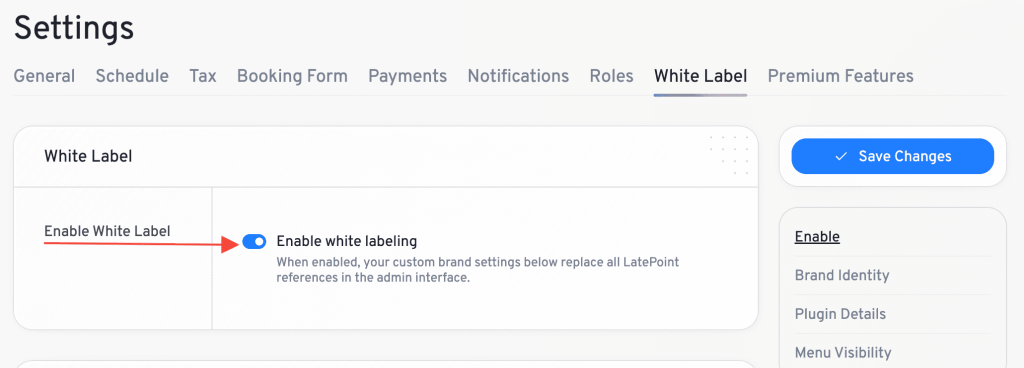
Enable White Label
Enable the White Label option to activate all branding changes.
When disabled, all White Label settings remain saved but are not applied.
Navigate to: LatePoint → Settings → White Label
If the White Label menu is hidden, deactivate and reactivate the LatePoint Pro Features plugin to restore access.
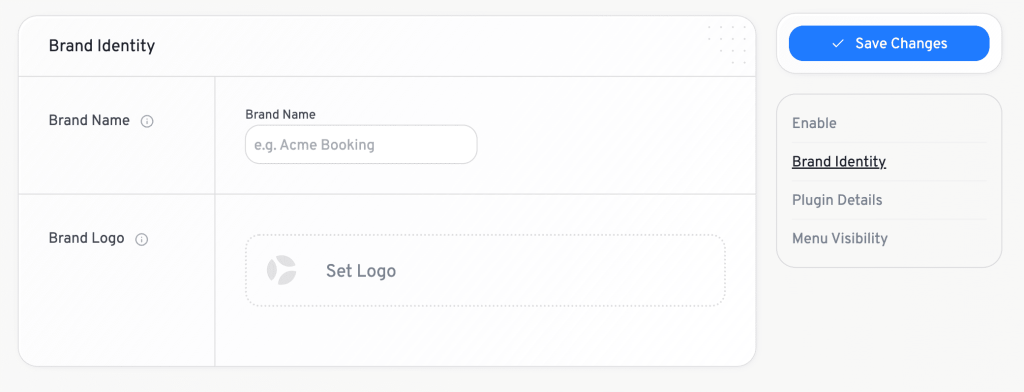
Set Brand Name & Logo
Enter the name you want to display instead of “LatePoint” throughout the WordPress admin area.
The brand name is used across the LatePoint admin interface and plugin listings unless specific plugin details are configured.
Upload your own logo to replace the LatePoint logo in the admin sidebar.
Recommended size: 40 × 40 px
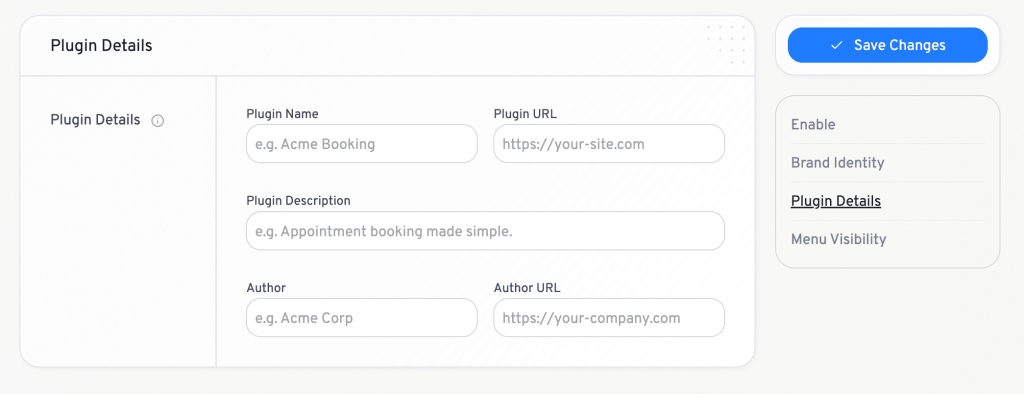
Plugin Details
You can customize how LatePoint appears on the WordPress Plugins page by configuring:
- Plugin Name
- Plugin URL
- Plugin Description
- Author
- Author URL
If these fields are left empty, the Brand Name will be used wherever possible.
Your custom branding will now be displayed throughout the WordPress admin interface.
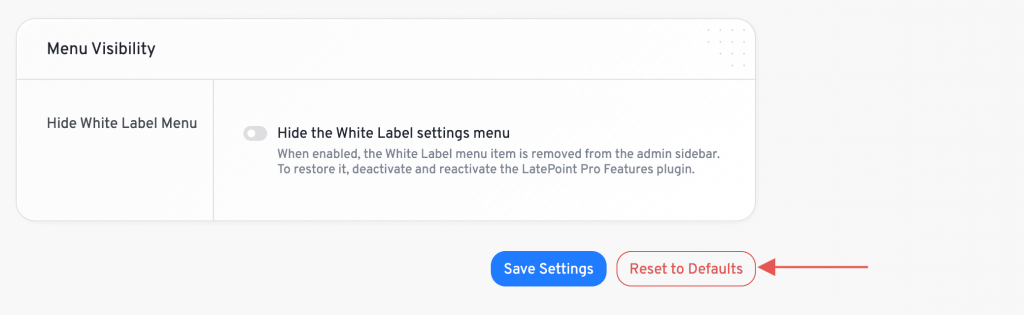
Hide White Label Menu
Enable Hide White Label Menu to remove the White Label settings page from the LatePoint sidebar.
This is useful when handing over a website to a client and preventing changes to your branding configuration.
To restore access later, deactivate and reactivate the LatePoint Pro Features plugin.
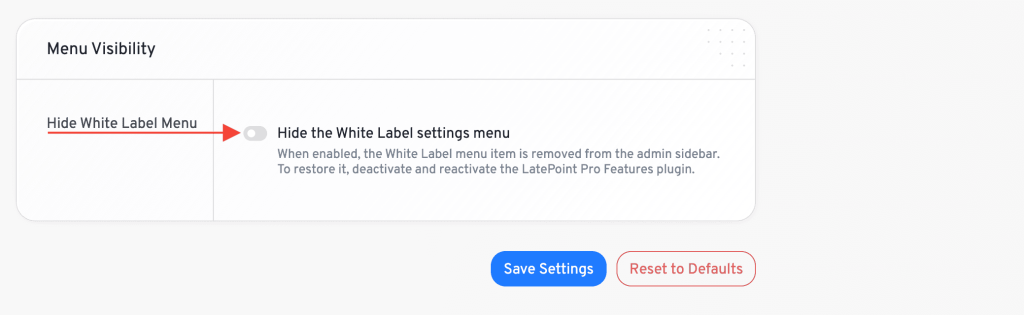
Reset White Label Settings
Use the Reset to Defaults option to remove all custom branding and restore the original LatePoint branding.
This action cannot be undone.
What Changes When White Label Is Enabled
When White Label is enabled, LatePoint branding is replaced in the WordPress admin area, including:
- Admin sidebar branding
- Plugin name and description
- Plugin author information
- Plugin links and URLs
- LatePoint branding and upgrade prompts
White Label only affects the WordPress admin area. Customer-facing booking forms, notifications, and emails are not modified automatically.
We don't respond to the article feedback, we use it to improve our support content.